Ive been using the FOSS launcher Kvaesitso for about a year now due to annoyances with Nova. It’s a different setup entirely, but I always preferred the app drawer over having scattered icons on the homescreen so its worked great for me. Anyone interested in trying something new should check it out. :)
That’s what I’ve been using, but I still prefer Nova’s ability to create folders, I could open most apps I needed in an instant by sliding to the correct screen, opening the folder and tapping the app. With Kvaesitso even with categories and such it’s much more of a hassle, the fastest way is typing the first letters of the name, not the same.
My biggest gripe with other similar launchers that can also create folders is that they always have an icon with 4 miniature icons on the cover. I wish that another one would give you the option of showing them as stacked instead. It just looks much less cluttered to me that way. I’m just glad I purchased the premium version before Nova got sold off, no ads (so far anyway).
I made pseudo folders by applying tags to apps I wanted to group, gave that tag an emoji, added a few app boxes to the widget page, and added the tags I wanted quick access to into those app boxes. Result looks like this.
I disabled the automatic search on mine. So opening the app drawer doesnt automatically prompt searching.
I just open the app drawer by sliding up from the bottom and tap the app I want to open. I set the favorites section with everything I need most often. And the 5 apps on the dock home screen dock for my absolute most frequent apps. Most apps that aren’t in either of those sections are ones I rarely open anyway.
My often used apps are numerous, and there are a few that are not often used but by their nature need to be opened quickly when necessary (such as the camera or qr scanner)… Plus I like to have a monthly calendar and clock on my home screen, those take up quite some space.



Ive been using the FOSS launcher Kvaesitso for about a year now due to annoyances with Nova. It’s a different setup entirely, but I always preferred the app drawer over having scattered icons on the homescreen so its worked great for me. Anyone interested in trying something new should check it out. :)
That’s what I’ve been using, but I still prefer Nova’s ability to create folders, I could open most apps I needed in an instant by sliding to the correct screen, opening the folder and tapping the app. With Kvaesitso even with categories and such it’s much more of a hassle, the fastest way is typing the first letters of the name, not the same.
My biggest gripe with other similar launchers that can also create folders is that they always have an icon with 4 miniature icons on the cover. I wish that another one would give you the option of showing them as stacked instead. It just looks much less cluttered to me that way. I’m just glad I purchased the premium version before Nova got sold off, no ads (so far anyway).
I made pseudo folders by applying tags to apps I wanted to group, gave that tag an emoji, added a few app boxes to the widget page, and added the tags I wanted quick access to into those app boxes. Result looks like this.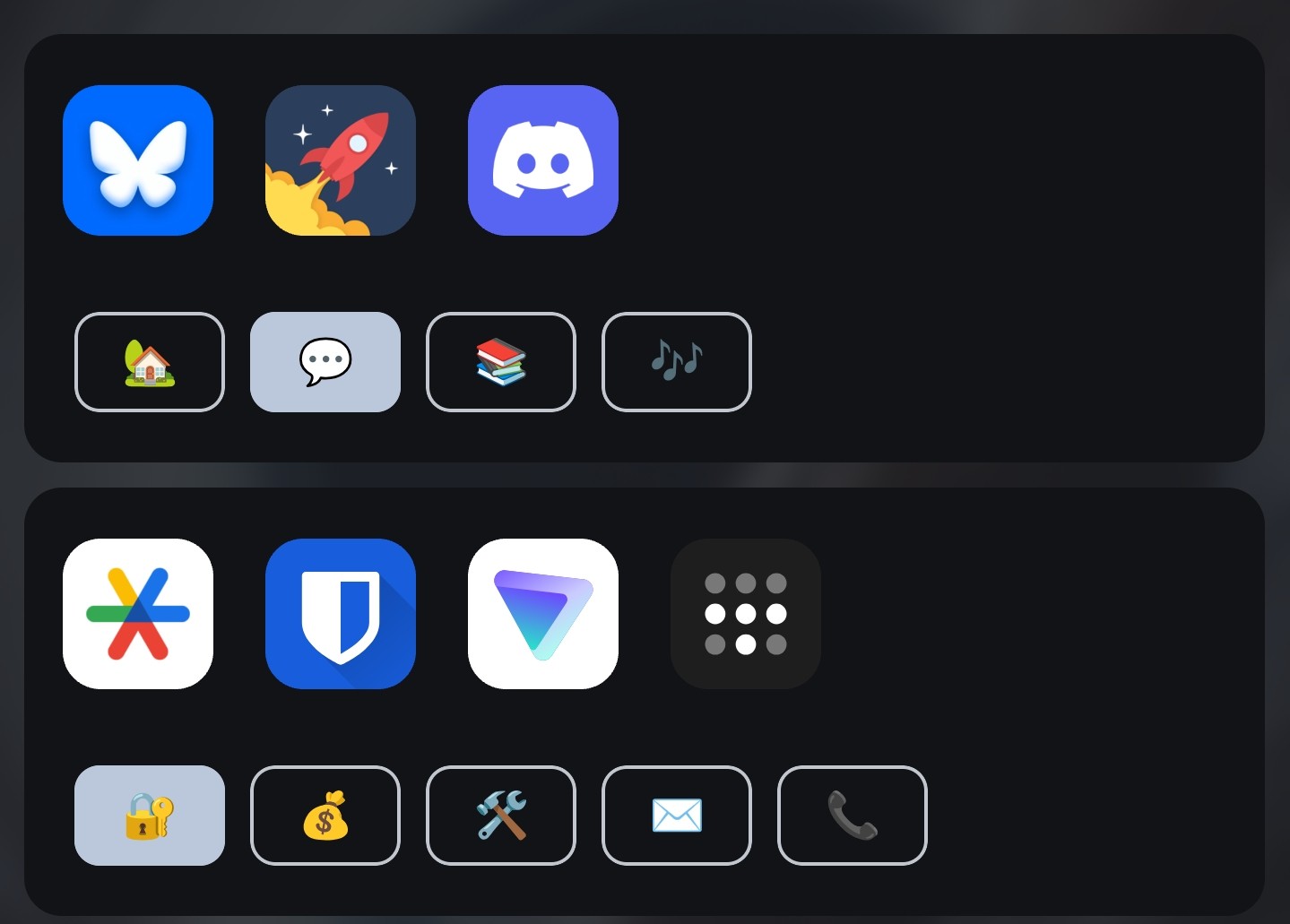
Ok, that’s fucking genius
I disabled the automatic search on mine. So opening the app drawer doesnt automatically prompt searching.
I just open the app drawer by sliding up from the bottom and tap the app I want to open. I set the favorites section with everything I need most often. And the 5 apps on the dock home screen dock for my absolute most frequent apps. Most apps that aren’t in either of those sections are ones I rarely open anyway.
My often used apps are numerous, and there are a few that are not often used but by their nature need to be opened quickly when necessary (such as the camera or qr scanner)… Plus I like to have a monthly calendar and clock on my home screen, those take up quite some space.