

- cross-posted to:
- selfhosted@lemmy.world
- selfhosted@lemmy.world
- cross-posted to:
- selfhosted@lemmy.world
- selfhosted@lemmy.world

Me again :P
Honey, I Shrunk The Vids is a streamlined video conversion tool built on FFMPEG, with smarts built in for standardising all files put through it to a standard target bitrate into either .mp4 or .mkv containers, in either h.264 or HEVC format. Comes in GUI for desktop and CLI for headless operation. The idea is that you can point it at a folder full of folders full of videos and hit “Start”, and trust that when it’s through you’ll have videos compatible with devices back to ~2014, smaller (or at least no bigger) than they were before, and with accurate MKV tags where appropriate.
The application has gone through some more major revisions since my last post, and I thought people would like to know! The first thing you’ll notice is the visual refresh:
Screenshots
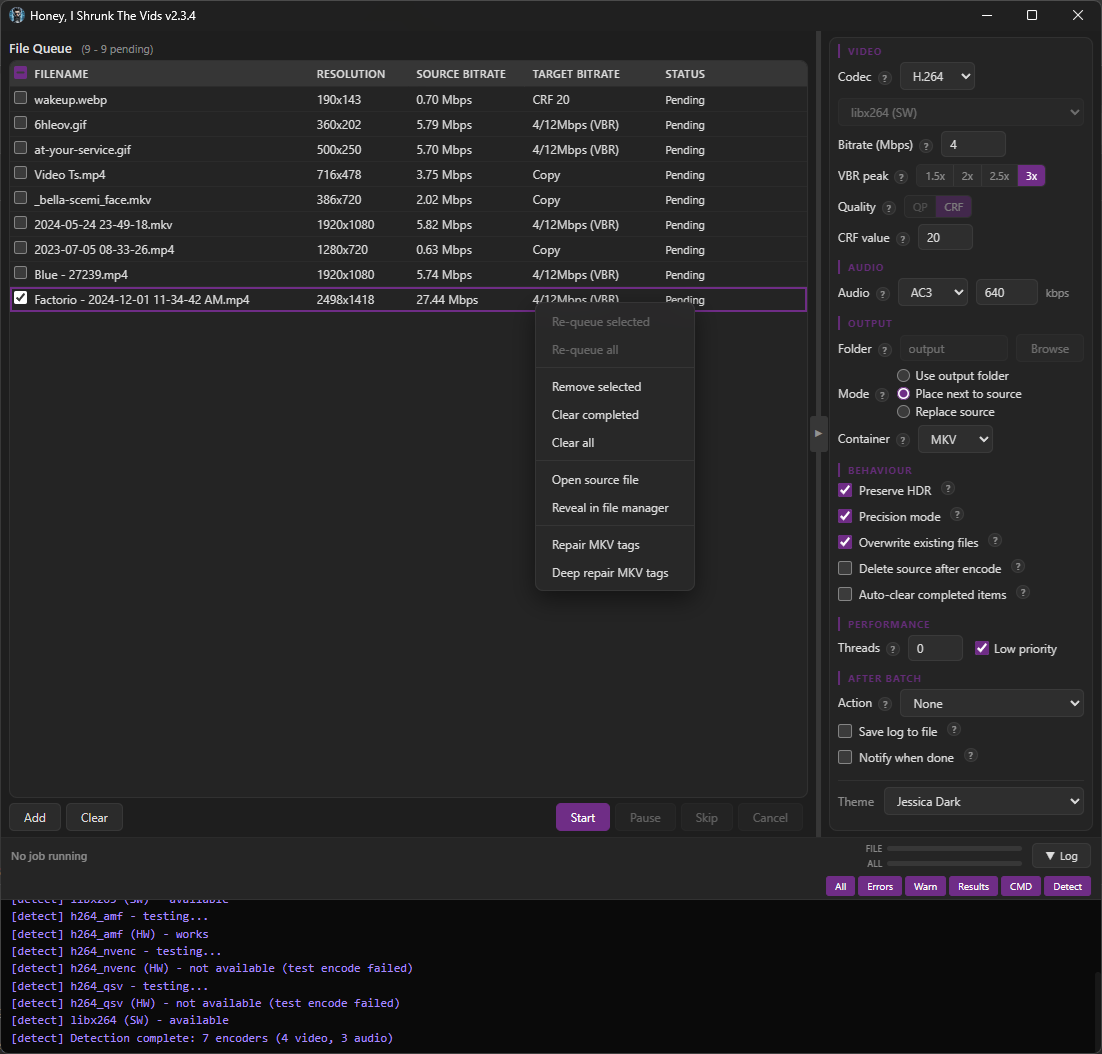
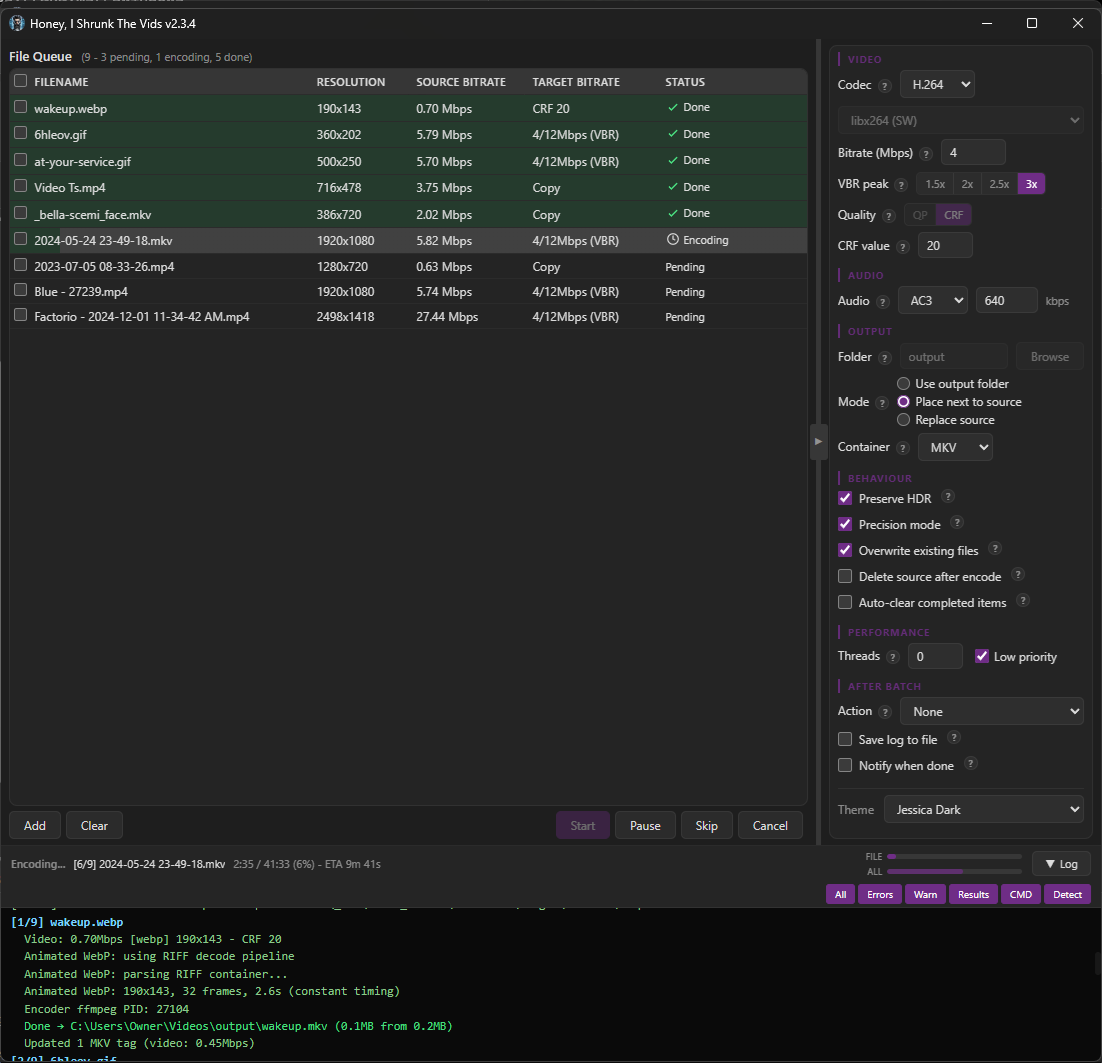
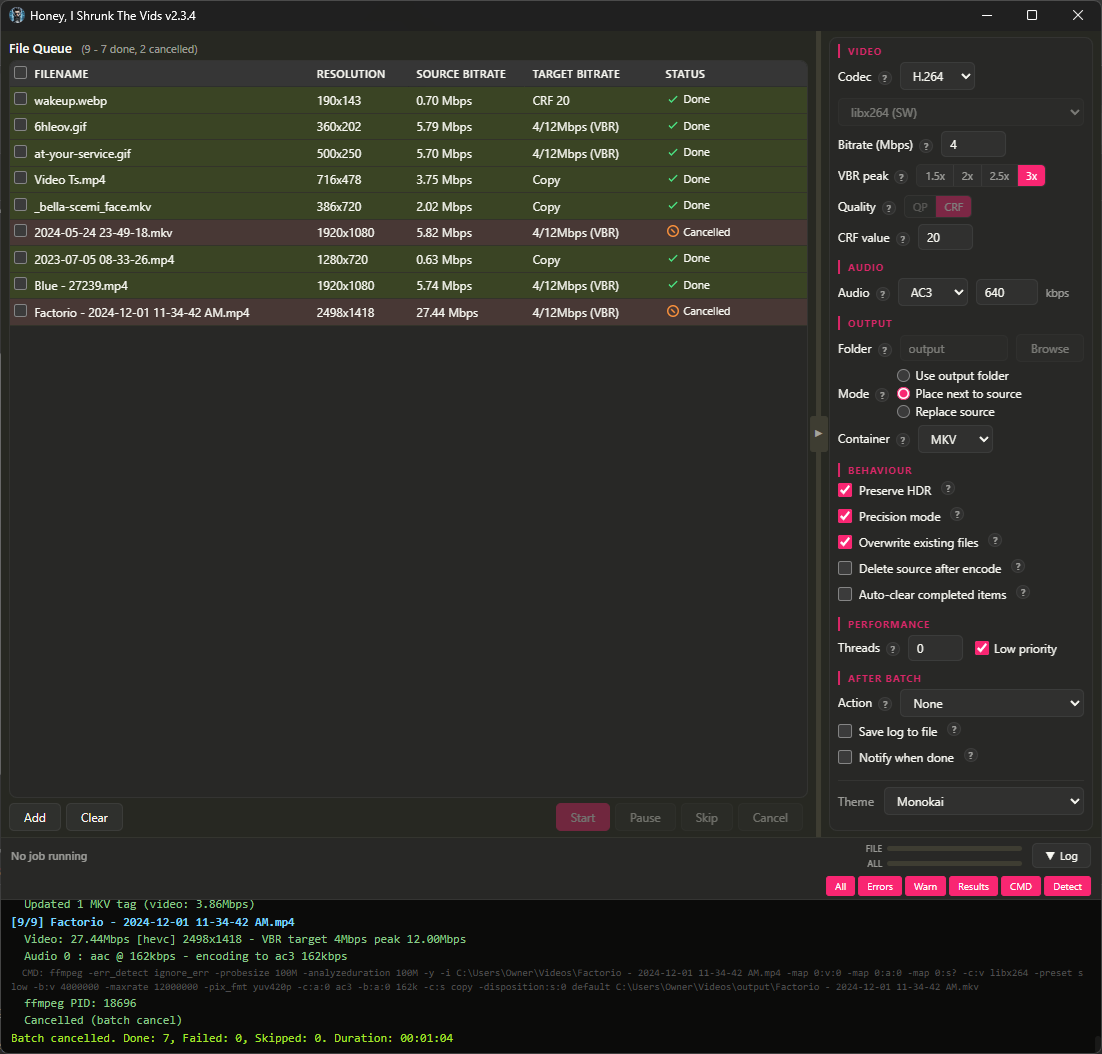
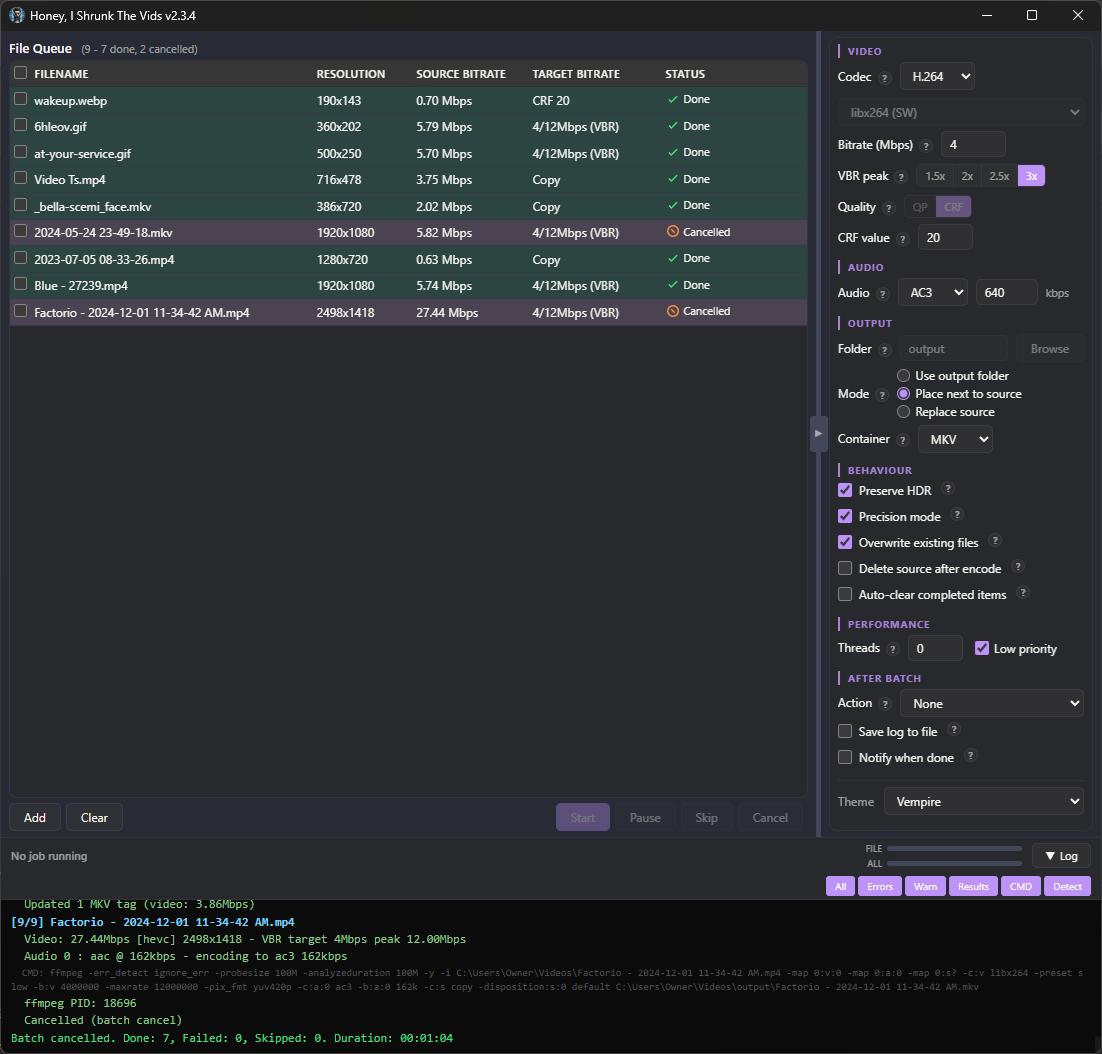
There are no more menu tabs; all options are exposed in a single side panel. Also, I added exotic filetypes for inputs: mts, mpg, mpeg, vob, flv, 3gp, 3g2, ogv, rmvb, rm, asf, f4v, y4m, apng, webp. That’s right, you can convert basically anything FFMPEG supports to convert to MKV or MP4!
I’m particularly proud of the webp support. FFMPEG can’t decode animated WebP natively (or at least, the most popular binaries can’t; maybe someone has a fork that’s fixed it), so HISTV:
- Parses the RIFF container itself,
- Decodes each frame through ffmpeg’s static WebP decoder,
- Composites them with correct alpha blending and disposal, and
- Pipes the result to the encoder.
Temp files are completely avoided for storage/IO reasons; variable frame timing is preserved, so smooth per-frame progress is retained from source.
The one filetype I left out was .yuv, because that’s raw data, no container or headers, and the user would have to enter the correct dimensions for each video (which defeats the core purpose of Honey, I Shrunk The Vids, so it’s out of scope for this project).
The theme engine has been simplified, with only 6 keys down from 16, and everything named more intuitively so it’s easier to tell what changes what. As well, a Linux user reported their FFMPEG wasn’t discovered properly, so ffmpeg discovery now uses login-shell PATH resolution (previously macOS only), fixing detection when ffmpeg is installed to locations like ~/.local/bin.
Bunch of bugs got squished (for example the encoder would switch when toggling the new “Precision Mode” checkbox), and several more efficiency passes were made with more hand-edits than ever. This is the cleanest, leanest build yet, and the most featureful.
Finally, I added “-full” versions for each platform. These come bundled with FFMPEG, if you want just a single download.
Also, I’ve flirted with the idea of signing the Windows executable so Windows Defender stops complaining about it, but I don’t yet see a reason to give Microsoft money for that. You can just click “More Info”, and then “Run Anyway”.
I’m running out of ideas for future updates, but if anyone has requests just drop a comment or open up an issue! And, as always, I’m here for questions. I hope you find it useful!
You must log in or register to comment.
Has anyone tried this? OP, have you? Is it fast? I have a tv show that I’ve ripped from blue-ray. It is 600GB and I wanted to save some space, but whenever I try to convert, it’s awfully slow. I have a pretty beefy setup, Ryzen 7 5800xt CPU and a 9070xt GPU.
afaik if you want to retain as much quality as possible while saving space you do want to do it on the CPU (so not hw accelerated - slow)
- Love the project name.
- This looks close to what I’ve imagined coalescing my hand conjured ffmpeg scripts into.
- I’d like to feed this into a pipeline that includes Subler or equivalent.
-
Thank you! I am obnoxiously proud of myself for that one 😅
-
That’s actually how this all started for me haha! I was sitting there tweaking the same command as I hit videos with different formats or quality levels, and I thought to myself that it’d be a lot easier with just a few smarts like detecting if a video is already at the target quality level. The first version was actually just a winforms GUI wrapping that very PowerShell command - it’s come a long way in just a few weeks.
-
Subler is interesting! Hmm. Currently HISTV just copies over ask the subtitle tracks directly. I think I could add a subtitle function like Subler’s to bake in subtitle tracks, if the user has the subtitle file they want to use. Would that be useful? Metadata download from the internet is messy though, I might want to leave that to the existing *arr solutions.
-
Nice job and congrats on the webp parser. You made Converseen but for videos :)
Windows cert -> you can also give your money to other companies, the cert doesn’t need to be from MS. But who cares, ask Windows users to buy it for you if they choose to continue using that OS.
Thank you very much, that’s very kind! 😊
I didn’t know I could get the cert from elsewhere, I appreciate the heads up; my experience lies mainly in networking, rather than software. I’ll open that possibility back up, then. It’d be a first for me, and I’m getting a real taste for firsts with this project!
I’m not taking anyone’s money, though, even Windows users (right now, that includes me… I’m working on it lol). I’m doing this purely for the love of the game!
Good luck with your eventual transition to Linux! Check in with Lemmy communities if you want help with anything!
Since you’re still a Windows user at least for now, and assuming that you’re planning on continuing to be open-source, I can recommend Certum for this. https://shop.certum.eu/open-source-code-signing.html
I gave up trying to initialize the USB thingy using Linux (I tried regular Arch [btw] and an Ubuntu distrobox IIRC), but once I got through the initial steps using Windows, I was able to sign ongoing builds with Linux just fine. It took a LOT of trial and error since there seem to be very few people who simultaneously
- pathologically dislike using Windows regularly
- still want to make it easier for people on Windows to minimize Windows Defender complaints when running software that they build
- have the motivation and resolve to send a lot of PII to one of a handful of companies whose longtime business model is based around reputation and trust in order to get a usable certificate
- are stubborn enough to go out of their way to still figure out how to do a subset of this stuff on Linux
- are capable of actually succeeding at that, and
- are willing to show how they did it in a way that should be reasonably easy enough to understand and adapt to your situation
I didn’t renew after my first year - I switched from publishing an executable to publishing it on the web, so I no longer had a need for it - so I don’t know how things have changed (if at all). Most of my information came from eventually stumbling upon this wiki page for a Ruby-based tool where they figured out the last bits I needed to get it to work.
- It also has instructions for initializing the USB thingy on Linux too, so if I were to renew, I’d give that a fair shot… but seeing “icedtea” and a link to a web application that no longer resolves, I’d still only recommend it if you can use a Windows machine once a year.
I envy you so much, I used to love programming. Enjoy the process and the firsts!
Pretty cool project, thanks for sharing! Could this be used with Sonarr and Radarr, so newly downloaded vids get automatically converted?
Thank you! And yes, it can - you can put the HISTV command for the CLI version in a custom script in Settings -> Connect -> Custom Script:
screenshots
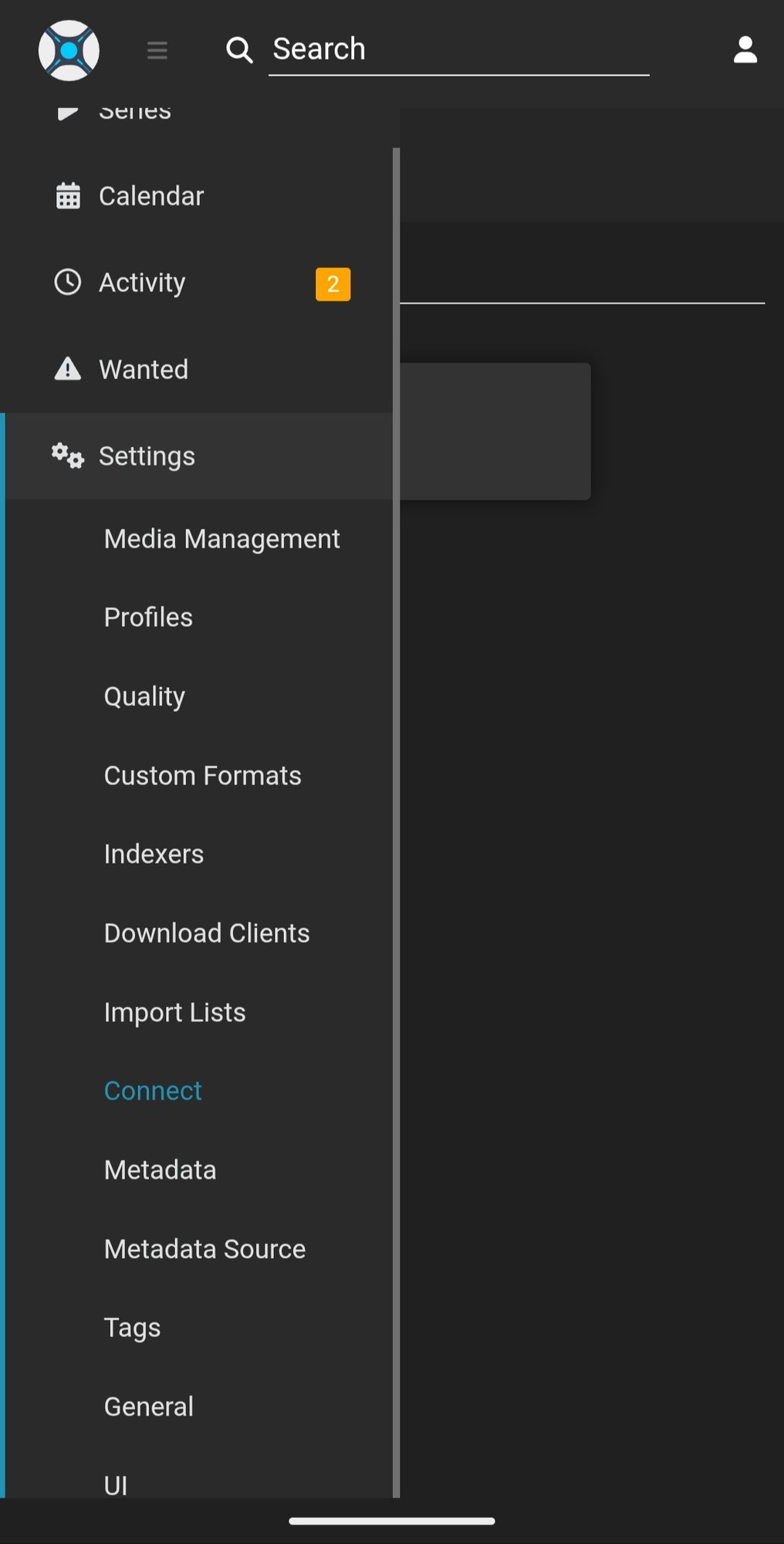
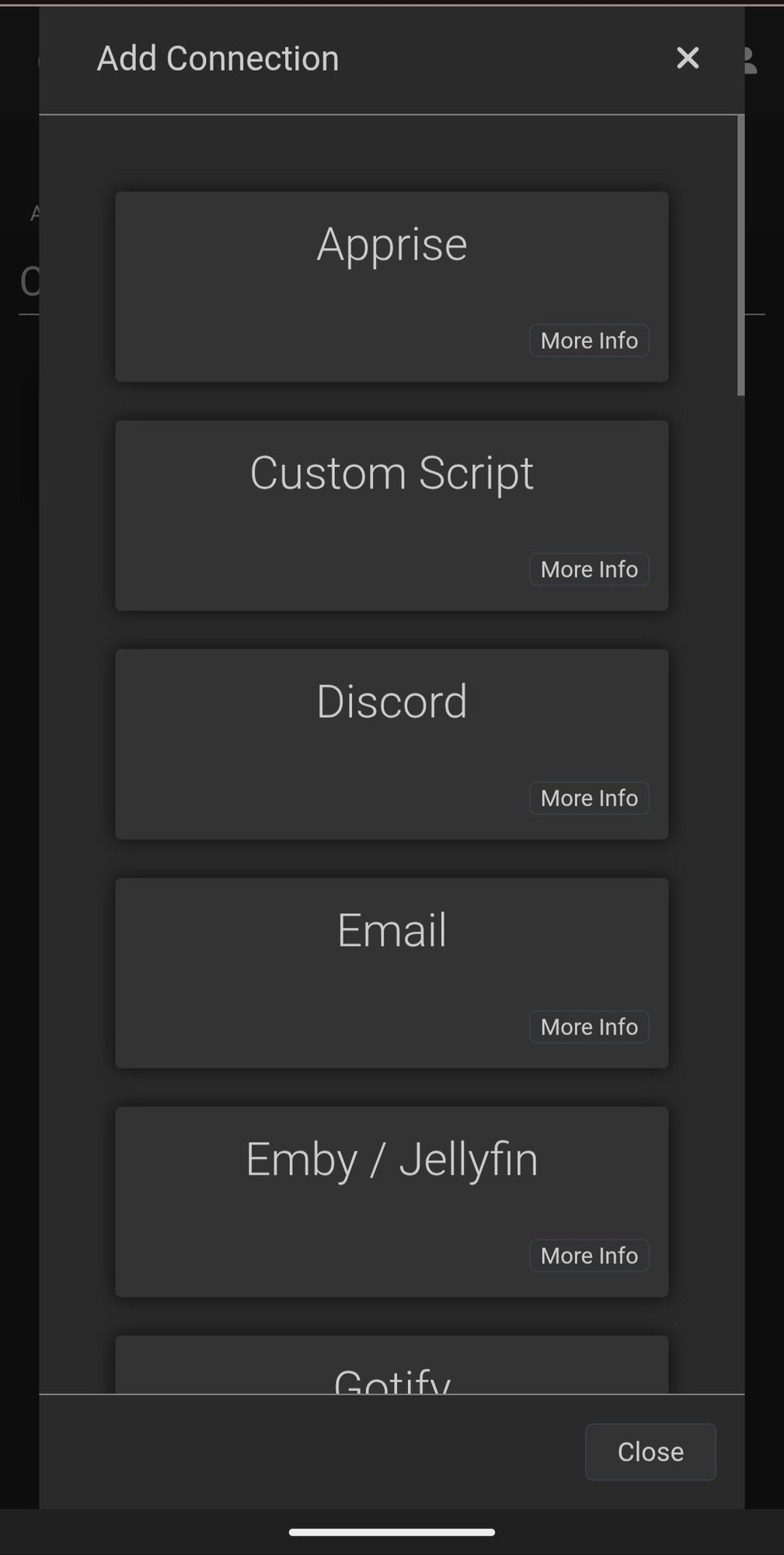
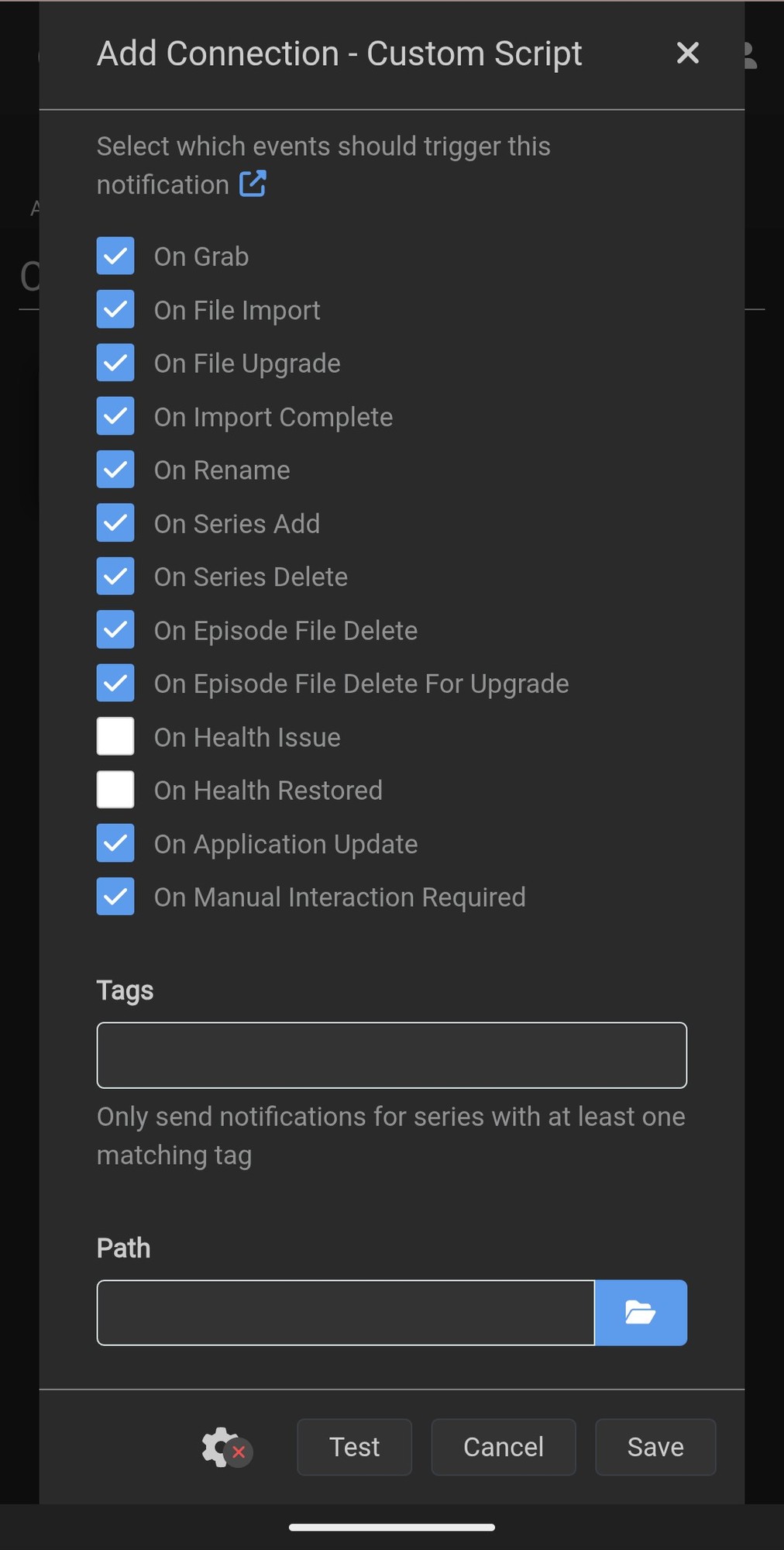
The script would be a one-liner with your HISTV command; args can be either passed in the script or built into a little JSON file next to your HISTV CLI binary 😊
Really cool idea, I have a basic tdarr setup which is pretty similar, do you know what other features this would have that are not found on tdarr
